29€
Managing a large number of email attachments in Microsoft Outlook can take a lot of time. Searching emails one by one to save documents, images, PDFs, and other files can make the process even harder. SysTools Outlook Attachment Extractor provides a simple way to extract attachments from Outlook data files and save them to a local system.
The tool supports multiple file formats, including PST, OST, MSG, OLK, and OLM. Users can extract attachments from single or multiple files in bulk without opening each email manually. It also supports inline images and regular email attachments, making it useful for users who need to collect important files from large mailboxes.
Key Features of SysTools Outlook Attachment Extractor
Multiple File Format Support: Extract attachments from PST, OST, MSG, OLK, and OLM files.
Bulk Attachment Extraction: Process multiple PST files at once to save time.
Extract Inline Images: Save embedded images along with regular email attachments.
Folder Structure Preservation: Maintain the original folder hierarchy for better file organization.
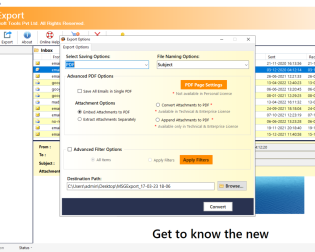
Advanced Filtering Options: Filter attachments by file type, size, or other supported criteria.
Real-Time Progress Report: Track the extraction process while the tool works.
CSV Reports: Generate reports to review attachment extraction details.
Support for Large PST Files: Handle large Outlook data files with suitable system resources.
Separate Folders: Save extracted attachments in separate folders for easier management.
Guest Mode Support: Run the tool without administrator privileges where supported.
Who Can Benefit from This Tool?
This tool is suitable for IT professionals, business users, and individuals who need to collect attachments from large Outlook mailboxes. It can help with email backup, document collection, mailbox management, and data migration tasks.
Whether you need to extract invoices, office documents, images, or other important files, SysTools Outlook Attachment Extractor helps simplify the process and reduces the effort required to save attachments manually.